
Salary advances that reconcile themselves.
Issue an advance, set the schedule, and let each payroll run deduct the instalment and update the outstanding balance.
Capabilities
How it works
Request and approval in the same chain
Advances follow an approval route like any other request, with the policy limit checked before it reaches an approver.
Schedules that follow payroll
Set the instalment and the term, and each run deducts it automatically, showing the outstanding balance on the payslip.
Correct treatment on exit
An outstanding balance is surfaced in the final settlement rather than discovered after the last payment has gone out.
Visible to both sides
The employee sees what is left to repay without asking, and finance sees total exposure across the company.
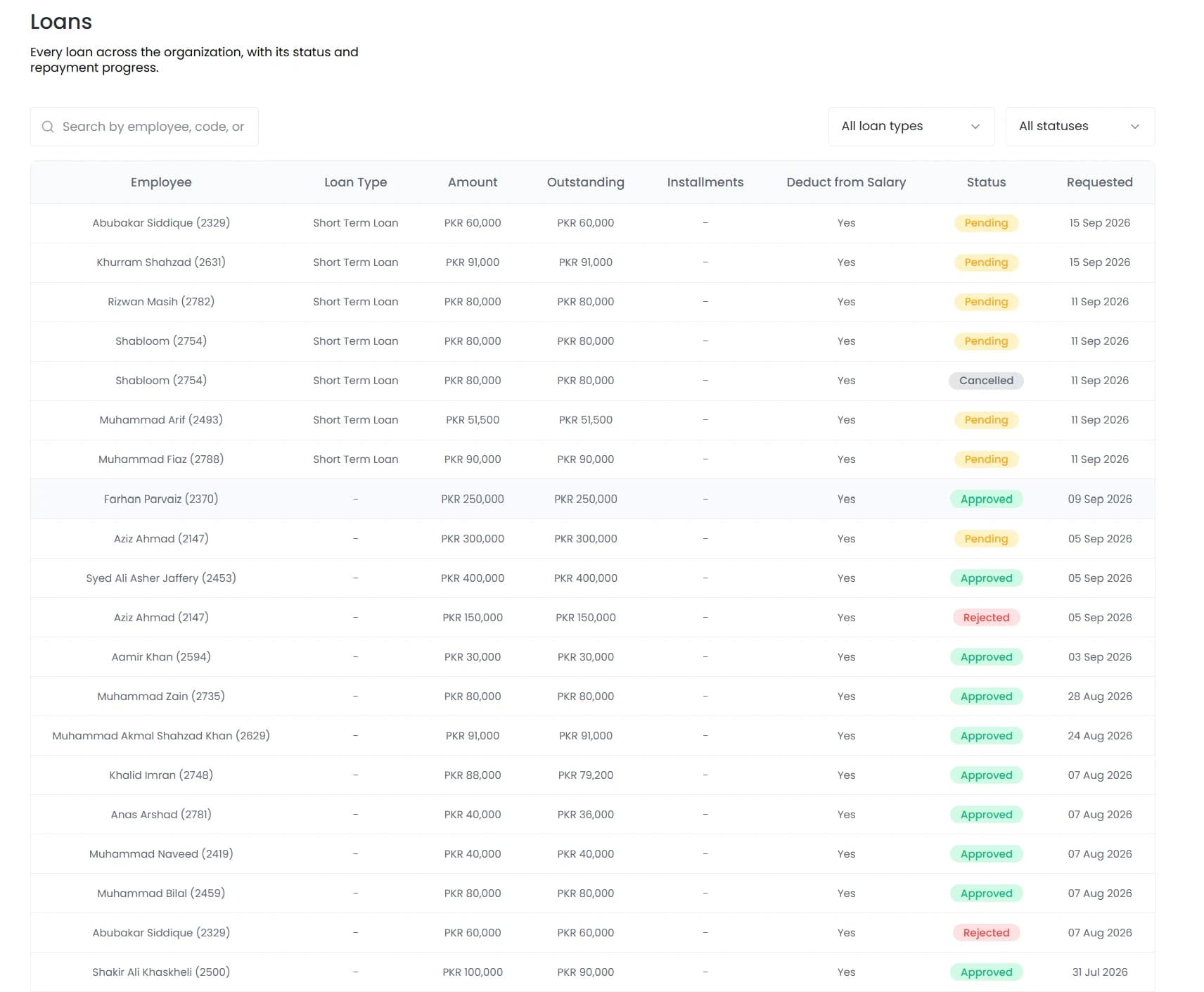
In the product
Every loan across the organisation with its outstanding balance and repayment status.
Salary advances are a genuinely useful benefit that most companies administer badly, because the repayment tracking lives in a spreadsheet separate from payroll.
- Request and approval in the same chain
- Schedules that follow payroll
- Correct treatment on exit
- Visible to both sides
How it fits together
Running advances through payroll rather than beside it
The mechanics matter more than the policy here. An advance is easy to approve and easy to forget, and what decides whether it stays correct is whether the deduction is applied by the payroll run or by a person remembering to apply it.
- Eligibility and limits
- Repayment
- Exit
Loans
A benefit that does not create finance work
The result is predictable: deductions missed, balances wrong, and a mess when someone leaves mid-schedule.

By the numbers
What it looks like in practice
Because advances run through payroll rather than beside it, the total outstanding across the company is a live figure rather than something assembled when someone asks for it.
Auto
Deducted by the payroll run
Live
Outstanding balance, both sides
Per role
Eligibility and limits
On exit
Balance surfaced in settlement
In practice
An advance from request to final instalment
The full lifecycle, with each step handled by the payroll run rather than by a person remembering.
The request
Raised against a loan policy that already defines eligibility and the limit for that role, so the amount is checked before it reaches an approver.
Approval
Follows an approval chain like any other request, with the decision and approver recorded on the loan.
First deduction
The instalment is applied by the next payroll run and shown on the payslip, so the employee sees the balance reducing without asking.
Ongoing
Each run deducts and updates the outstanding figure. A missed instalment cannot happen quietly because the run applies it, not a person.
Settlement or exit
The loan closes when the balance reaches zero, or the outstanding amount is surfaced in the final settlement if the person leaves first.
Compared
Advances tracked separately against advances on the record
The failure modes below are the common ones, and they share a cause.
FAQ
Common questions
Can an employee have more than one loan at once?
Yes, and the combined deduction is visible against their pay so the total recovery stays within whatever cap your advance policy sets.
Can we set different limits for different roles?
Yes. Loan policies define eligibility and limits per role, so what a new joiner can request differs from what a long-tenured employee can, without anyone applying that rule by hand.
What happens if someone repays early?
The outstanding balance is settled and the remaining scheduled deductions stop, with the payslip showing the final instalment rather than continuing to deduct.
See it running on your own data.
We will show the module working against records that look like yours, not a generic demo.