
Different groups, different cycles.
Define the cycle, the period start and the pay day once, and every run for that group follows it.
Capabilities
What a schedule defines
Frequency
Monthly, fortnightly or weekly, applied to the employee groups assigned to that schedule.
Period start
Which day the pay period begins, so the run covers exactly the window you expect.
Pay day rule
A fixed date or a rule such as last working day, which resolves correctly when it lands on a weekend or holiday.
A default for new employees
One schedule marked as default, so a new hire is on the right cycle without anyone choosing.
In the product
Frequency, period start and pay day defined per employee group.
Most companies do not have one payroll cycle. Salaried staff are monthly, site crews might be fortnightly, and a contractor group may be weekly, each with its own idea of when the pay day falls.
- Frequency
- Period start
- Pay day rule
- A default for new employees
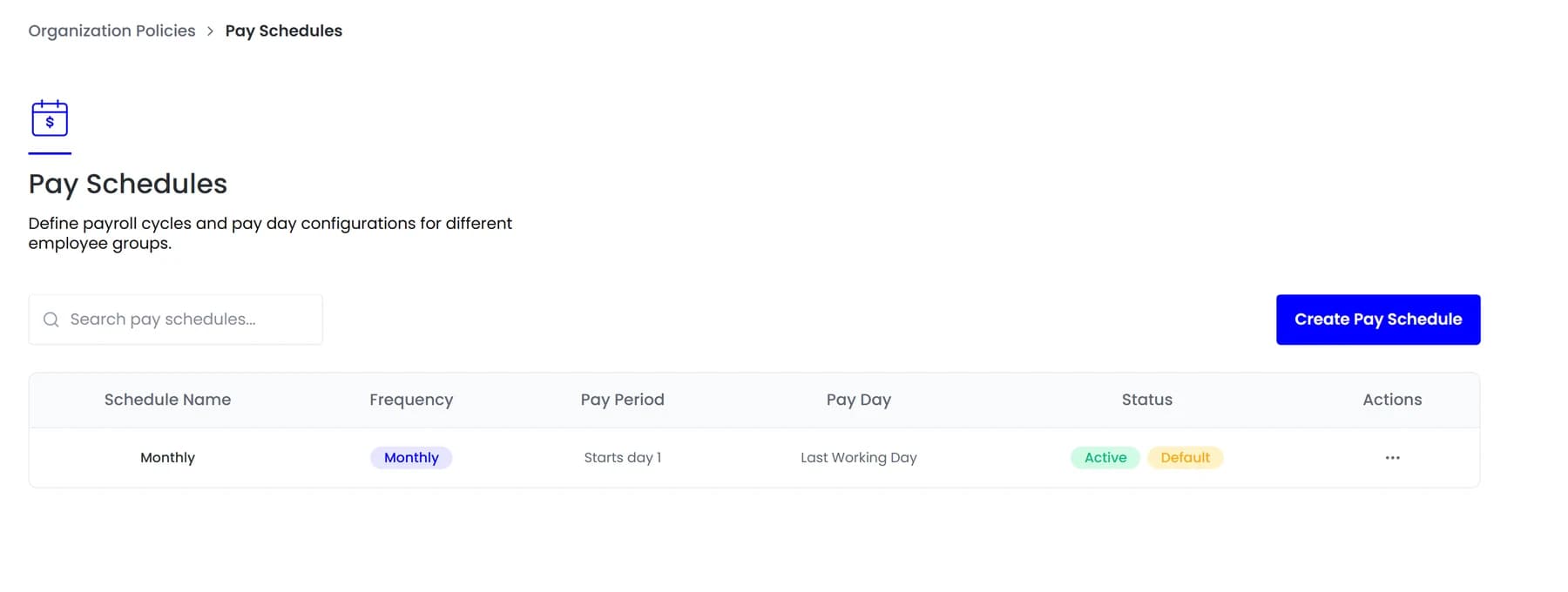
Pay schedules
Set it once, not every month
Handling that by memory is how pay dates drift and why payroll always seems to be late in the months with awkward weekends.

By the numbers
What it looks like in practice
Because the run is created from the schedule rather than typed in each period, the pay date is right for every group without anyone working it out.
Any
Monthly, fortnightly or weekly
Rules
Pay day resolves around weekends
Per group
Different cycles side by side
Default
Applied to new hires
In practice
Setting up a second schedule
What changes when one cycle is no longer enough for the whole company.
Define the frequency
Monthly, fortnightly or weekly, which determines how often a run is created for the group assigned to it.
Set the period boundary
The day the period starts, so the run covers the window your contracts actually describe rather than a calendar month that is merely close.
Choose the pay day rule
A fixed date or a rule such as last working day, which resolves correctly when it lands on a weekend or a public holiday.
Assign employee groups
Who follows this schedule, so the right people are picked up automatically rather than selected each period.
Mark a default
New hires land on the default unless their group says otherwise, which removes a step from onboarding entirely.
Compared
Common schedule shapes
Each of these is a rule rather than a date somebody works out each period.
FAQ
Common questions
What happens in a month where the pay day falls on a holiday?
The rule resolves it. A last-working-day schedule moves to the preceding working day rather than requiring someone to notice and adjust it manually.
Can an employee move between schedules?
Yes. A change takes effect from the next period rather than retrospectively, so the period they are part-way through pays on the schedule it started on.
Which schedule does a new hire get?
The one marked as default, unless their group assigns another, so nobody has to remember to set it during onboarding.
See it running on your own data.
We will show the module working against records that look like yours, not a generic demo.
Explore more
Payroll Processing
Each pay period becomes a run you can review before anything is paid, with its status visible…
Payroll
Assembled from live records, checked against local rules, approved once.
Payroll Settings
Proration basis, unpaid leave treatment and working days decided once, so partial months are…